Browser Games vs Mobile Apps: Why Instant Play Wins

Discuss this article with your favorite AI assistant
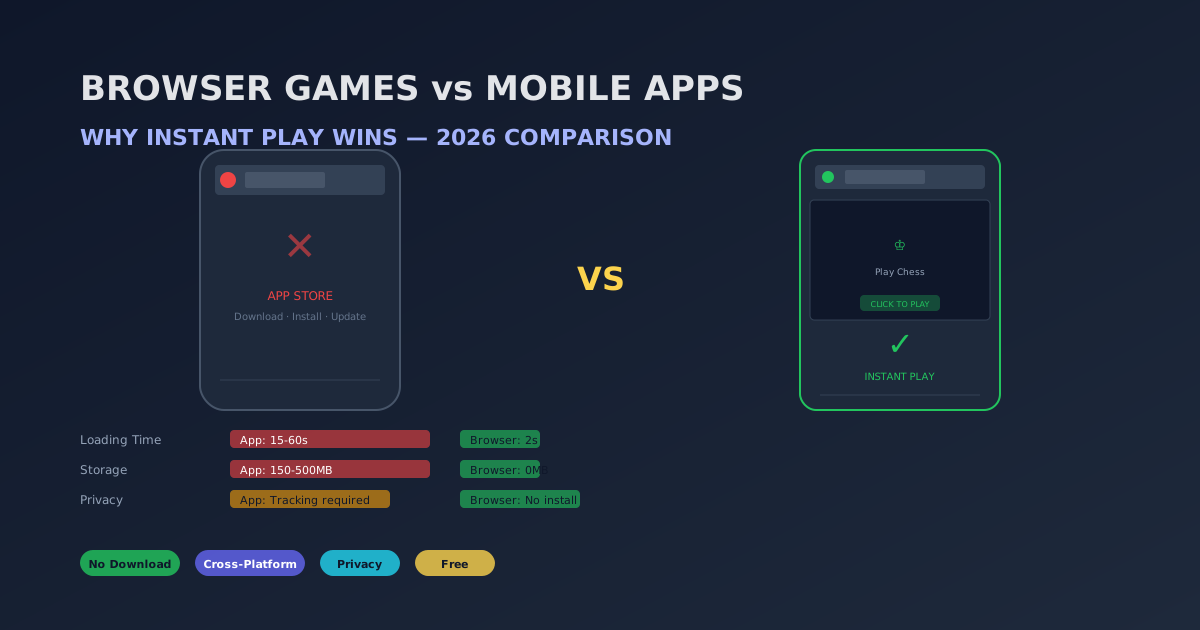
Direct Answer: Browser games win over mobile apps in 2026 for four reasons: (1) Speed — browser games load in under 2 seconds with zero installation, while apps require a download, installation, and often an update before first play. (2) Storage — browser games use zero device storage, while apps consume 150-500MB each. (3) Privacy — browser games on no-login platforms don't require an account, email, or app-store tracking permissions. (4) Cross-platform — a browser game works on any device with a browser (desktop, tablet, phone) with a single URL, while apps require separate builds for each platform. The browser game market is projected to reach $9.07 billion by 2030, growing at 3.1% CAGR.
The Loading Time Gap
The most obvious difference between browser games and mobile apps is the time from decision to playing. A browser game on funaigames.com loads in 1-2 seconds. Click. It's running. A mobile app, in contrast, requires: finding it in the app store (30 seconds), tapping "Install" (waiting for download — 10-60 seconds depending on size and connection), tapping "Open" (cold start — 3-5 seconds), and often downloading additional assets (5-30 seconds). Total time to first play: 45 seconds to 2 minutes. Over a year of daily play, that's 5-12 hours of waiting.
Storage Space: The Hidden Cost
The average mobile game app consumes 250MB of storage. A dedicated player might have 5-10 game apps, consuming 1.25-2.5GB of device storage. On a 64GB phone (57GB usable after system files), that's 2-4% of total storage for games alone. Browser games consume zero storage because no files are permanently installed. The game assets are cached by the browser temporarily and cleared automatically when space is needed. This matters most for budget phones with limited storage.
Privacy and Tracking
Mobile apps have a notorious privacy problem. The average free game app includes 6-8 third-party trackers (ad networks, analytics, attribution platforms). Many require access to device identifiers (IDFA/GAID), location data, and contact lists. Some games cannot function without these permissions. Browser games on no-login platforms like FunAIGames require no account and no personal information to play. There's no account creation and no email verification. The game board runs in the browser sandbox. Ads may appear around the page — not during a move. For a full picture of cookies and advertising, see our Privacy Policy.
Cross-Platform: One Game, Every Device
A browser game written in HTML5 works identically on Chrome (Windows), Safari (Mac/iOS), Chrome (Android), Edge (Windows), and Firefox (Linux). The same URL. The same code. The same experience. A mobile app requires at minimum an iOS build (Swift/SwiftUI) and an Android build (Kotlin/Jetpack), sometimes a separate tablet layout, and occasionally a desktop version. For developers, this means 3-4x the development cost per game. For players, it means your game doesn't follow you across devices — your phone game doesn't work on your work computer.
Updates and Maintenance
Browser games update automatically. Refresh the page — you're on the latest version. Mobile apps require manual updates through the app store, which means: (a) you see a notification you ignore, (b) the old version stops working, (c) you have to wait for the update to download. A 2025 survey found that 43% of mobile gamers have abandoned a game because of update friction.
Cost Comparison
The best browser games are genuinely free. There's no "freemium" model, no battle pass, no energy system, no pay-to-win mechanics. The game is the game. Mobile apps, even "free" ones, have aggressive monetization: interstitial ads every 30-60 seconds, rewarded video ads for continues, subscription passes for premium features. The average free mobile game player sees 12-15 ads per hour. On FunAIGames, ads may appear around the page — not between moves.
The 2026 Landscape
The browser games market is projected to reach $8.01 billion in 2026 and $9.07 billion by 2030. Key trends driving growth: HTML5 maturity (console-quality graphics in a browser), cloud gaming infrastructure (games run on servers, streamed to any device), and the "instant play" culture (users expect sub-2-second access). Over 45% of casual gamers now prefer browser games to downloadable apps.
When Mobile Apps Still Win
Mobile apps have advantages for specific use cases: (1) High-end 3D games that need GPU access. (2) Games that require offline play. (3) Games with push notifications for retention loops. (4) Games with deep native integration (camera, GPS, accelerometer). For strategy games, puzzle games, and turn-based board games, these advantages don't apply — and browser games are the better experience.
Frequently Asked Questions
Do browser games work offline?
Most browser games require an internet connection because the game assets are loaded on demand. However, modern browser caching means that once you've loaded a game, it can often survive a brief connection drop. For truly offline play, mobile apps still have the advantage.
Are browser games as good quality as mobile apps?
For strategy games, puzzle games, board games, and card games — yes, browser games are often better quality because they're built with HTML5 Canvas and WebGL, which run natively in modern browsers at 60fps. For 3D action games, mobile apps still have a quality edge due to direct GPU access.
How do browser games make money without paywalls?
Some platforms use display advertising around the page (not interrupting a move), some use subscriptions for premium features, and some mix both. FunAIGames is free to play with no account and no in-game purchases. Ads may appear around content; they are not placed during a move.
Can I play browser games on my phone?
Yes — all games on funaigames.com are fully responsive and work on mobile browsers with touch controls. Open Chrome or Safari, visit the site, and play. No app store required.
Summary and Key Takeaways
- Browser games load in ~2 seconds vs 45-120 seconds for mobile apps (including install).
- Browser games consume zero device storage vs 150-500MB per mobile app.
- Browser games on no-login platforms require no account and no personal data to play.
- One browser game works on every device; mobile apps need separate builds per platform.
- Browser games update automatically; mobile apps require manual store updates.
- The browser games market is growing at 3.1% CAGR, reaching $9.07 billion by 2030.
- 45%+ of casual gamers now prefer browser games over mobile apps.
Experience Instant Play — No Download, No Login
All 11 games on FunAIGames load in under 2 seconds, work on every device, and require zero personal information. Just click and play.
Browse All GamesSource: Browser Games Market Report 2026