How Online Game Rooms Work: Room Codes Explained

Discuss this article with your favorite AI assistant
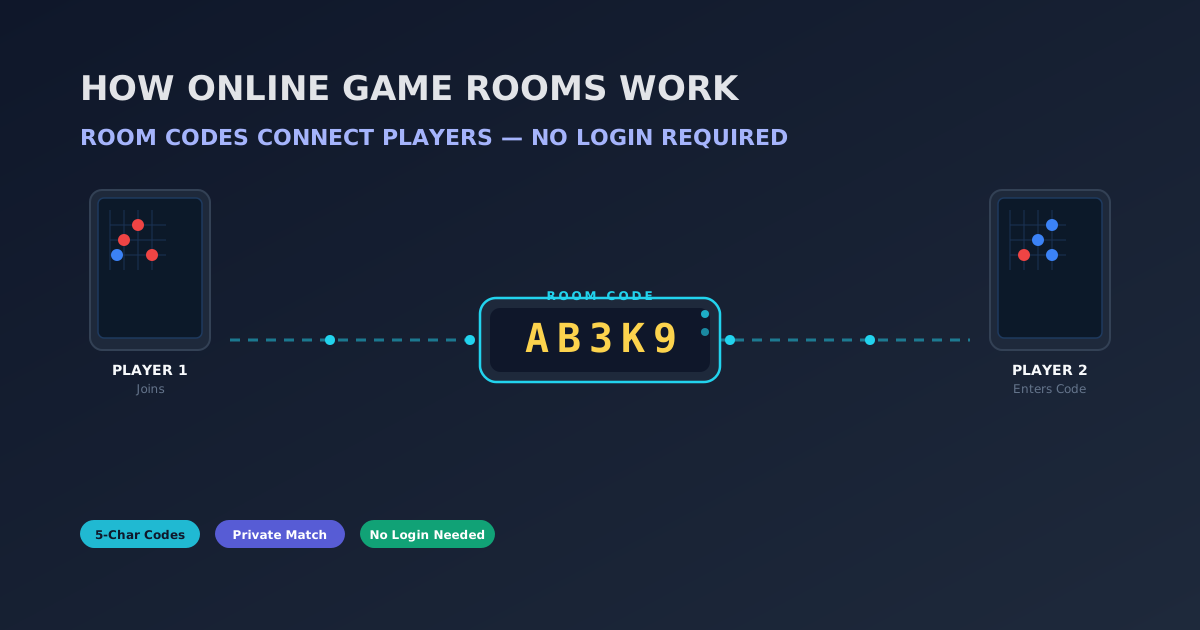
Direct Answer: Online game rooms are temporary lobbies created on a server and keyed by a short code. On this site, creating a room generates a 5-character code (like "7KQ2M") that you share with a friend; they type it into the Join box and are pulled into the same match — no account, no login, no download. The room lives on the server for about an hour of inactivity and is automatically cleaned up when empty or expired. Codes avoid confusing characters like 0, 1, I, and O so they are easy to read aloud, and because codes are drawn from 32 possible characters, there are over 33 million possible room codes — collisions are effectively impossible. Five games on the site currently support rooms: Gomoku, Tic-Tac-Toe, Connect 4, Checkers, and Rock-Paper-Scissors.
What a Game Room Actually Is
A game room is a server-side record of a match in progress. When you hit "Create Room," your browser opens a WebSocket connection to the game server (running on port 3001), and the server creates a room object — a small piece of memory holding the game ID, the players, whose turn it is, and the board state.
The room's address is its room code. Anyone with the code can look the room up on the server and join it. That is the entire trick behind "play with friends without accounts": instead of maintaining a friends list or user database, the site just needs a shared secret — the code — that both players know.
This design is why no-login multiplayer works at all. You can read more about the general concept in Online Multiplayer Launch: Play with Friends, No Login, which covers the launch of exactly this system.
How Room Codes Are Generated
Room codes are not random strings of everything — they are deliberately drawn from a safe alphabet:
2 3 4 5 6 7 8 9 A B C D E F G H J K L M N P Q R S T U V W X Y Z
Notice what is missing: 0 and 1 (too easily confused with O and I), and the letters I and O themselves. Every character in a code is unambiguous when read aloud, typed quickly, or written on a scrap of paper. That is why "7KQ2M" works in practice and "1O1I0" would be a nightmare.
With 32 possible characters in each of 5 positions, the total space is 32^5 = 33,554,432 possible codes. Even with the site's cap of 1,000 simultaneous rooms, the chance of generating a code that is already in use is minuscule, so the server does not even need to retry collisions in practice.
How You Join a Room
Joining is a three-step flow, and it is the same for every game on the site:
- Open the game you want to play — say, Connect 4 — and choose the online mode.
- In the lobby, pick Create Room (to start a match and share its code) or Join Room (to type in a code a friend gave you).
- When you join, the server links your browser to the room, and the page routes you to the match. If you created the room, you see the code on screen — copy it, text it, or read it aloud.
You do not need to be friends with anyone, add anyone, or create a profile. The code is the friendship. Your place in the room is tracked with a player token your browser stores locally, so if you refresh the page, the game can restore your seat — a feature explained in more detail in No-Login Multiplayer Games: Play with Friends Online.
What Happens After You Join
Once both players are in the room, the game behaves exactly like a normal match — the only difference is that moves are sent over the WebSocket instead of being read from a local click:
- State sync: every move is broadcast to everyone in the room, so both screens show the same board.
- Turn enforcement: the server tracks whose turn it is and rejects illegal moves, so nobody can cheat by clicking twice.
- Reconnection: if your internet blips, your player token lets the server recognize you when you come back, and the room resumes where it was.
- Game over: when the match ends, the room's job is done — and it expires on its own, as described next.
All five online-capable games — Gomoku, Tic-Tac-Toe, Connect 4, Checkers, and Rock-Paper-Scissors — share this exact room system, which is why the "online" button feels identical everywhere.
Room Lifecycle: How Long Does a Room Live?
Rooms are temporary by design — they are not saved forever like an account's match history. The lifecycle works like this:
- Created: a room is born the moment you hit Create Room and receives its code.
- Active: as long as players are making moves, the room keeps living. Every bit of activity resets the inactivity clock.
- Idle: if nobody moves for a while, the room goes quiet. The default timeout is 60 minutes of inactivity.
- Cleanup: a background sweeper checks for stale rooms every 60 seconds. Any room idle past the timeout — and any room that is simply empty — is removed from the server, freeing the code and the memory.
The practical upshot: a code works as long as the match is active, and vanishes within about an hour after everyone stops playing. That is more than enough time for a game session, and it keeps the server from accumulating dead rooms forever. The site also enforces a maximum of 1,000 simultaneous rooms so the system stays fast for everyone.
Why Not Just Use Usernames or Friend Lists?
The room-code design is a deliberate trade-off, and it is worth understanding why it wins for a casual games site:
- Zero friction: no sign-up form, no email verification, no password to forget. The barrier to a match with a friend is one code.
- Privacy: nothing about you is stored on the server beyond a throwaway player token. There is no profile to leak.
- Simplicity: the entire "social graph" is replaced by 32^5 codes. The server never has to resolve "who is bob123?"
- Cheap to run: rooms are small objects cleaned up by a janitor, not persistent database rows.
The cost of this approach is that a room is only as durable as its code: if the code leaks to a stranger, they can join; if everyone leaves, the room eventually disappears. For casual, no-stakes games like the ones on this site, that trade-off is exactly right.
What Happens When Someone Leaves Mid-Game
Real matches get interrupted — browsers close, phones lock, Wi-Fi blips. The room system handles all of these without burning down the match:
- One player disconnects: the room stays alive and waits. The remaining player sees the opponent as "away," and the room keeps its 60-minute inactivity clock running so a quick return is painless.
- The player reconnects: the player token stored in the browser identifies them, the server resumes their seat, and the board returns to exactly where it was. No restart, no re-invite needed.
- Both players leave: the room sits empty until the janitor sweep removes it — typically within a minute. The code stops working, and the room is recycled.
- Nobody returns: after 60 minutes of inactivity the room expires even if someone is still connected but idle. That keeps dead rooms from piling up.
The design goal is simple: a room should never die just because someone's phone buzzed. The trade-off — rooms eventually expire — is fine for casual play, because you can always create a fresh room and a fresh code in two clicks.
Why Rooms Use WebSockets Instead of Page Reloads
You may have noticed that moves in an online room feel instant, with no refreshing. That is because the connection is a WebSocket — a persistent two-way channel between your browser and the game server (running on port 3001). Here is why that matters:
- Push, not poll: when your opponent moves, the server pushes the update to your screen immediately. There is no "check every few seconds" delay and no refresh button.
- Live presence: both players can see connection status and whose turn it is without asking.
- Cheat resistance: every move travels through the server, which validates legality and turn order before broadcasting it. Both screens always agree.
The same channel carries the room's state throughout the match — from the first move to the final "game over" message. For a casual games site, that is the difference between a lobby that feels like a real table and one that feels like a form you keep submitting.
Rooms on Mobile: Same Code, Same Flow
Room codes shine on mobile, where typing usernames and managing accounts is miserable. The flow is identical to desktop: create a room, copy the 5-character code, paste it into a text message, and your friend taps "Join Room" with the code already on their clipboard. The unambiguous alphabet (no 0, 1, I, or O) matters even more on a phone keyboard, where autocorrect would love to "fix" a code like "O1L8" into garbage.
Because rooms require no login, the mobile experience has no session walls: a friend opens the link on any device — even one that has never visited the site — and lands straight in your lobby. That is the whole point of the no-account design, and the reason the room system is the site's fastest path from "thinking about playing" to "actually playing."
Frequently Asked Questions
How do game room codes work?
A room code is a short address for a server-side match. The person who creates the room gets a 5-character code, shares it with a friend, and the friend types it into the Join box to enter the same match. No account or login is needed on either side.
How long do game rooms last?
A room stays alive while players are active, and for up to 60 minutes after the last activity. A background sweeper removes stale or empty rooms every 60 seconds, so codes stop working shortly after a match ends or everyone leaves.
Which games can I play in rooms on this site?
Five games support online rooms: Gomoku, Tic-Tac-Toe, Connect 4, Checkers, and Rock-Paper-Scissors. Other games on the site (like Battleship, Mancala, Ludo, or Snakes and Ladders) are played against the AI or in local hot-seat mode instead.
Why do room codes skip 0, 1, I, and O?
Because those characters are easy to confuse with each other (0/O, 1/I). Codes use only an unambiguous 32-character alphabet — digits 2-9 plus the letters A-Z minus I and O — so a code like "7KQ2M" can be read aloud, texted, and typed correctly every time.
Can someone else join my room by guessing the code?
Practically no. There are 33.5 million possible codes, and the site only allows 1,000 rooms at once, so the odds of a random guess hitting a live room are tiny. Still, treat your code like a key — only share it with the people you want in the match.
Summary and Key Takeaways
- Rooms are server-side match records keyed by a 5-character code — the code is the entire access system.
- Codes use a 32-character unambiguous alphabet (no 0, 1, I, or O), giving 33.5 million combinations.
- Create Room to generate a code; Join Room to enter one. No account or login required.
- Rooms live on 60 minutes of inactivity, swept by a janitor every 60 seconds; up to 1,000 rooms run simultaneously.
- Player tokens restore your seat if you refresh, and the server enforces turns and legality.
- Five games support rooms today: Gomoku, Tic-Tac-Toe, Connect 4, Checkers, Rock-Paper-Scissors.
Create a Room and Play a Friend
Open the online lobby, generate a code, and text it to a friend. You are two clicks from a live match — no accounts, no setup.
Open the Online LobbyWant another no-login option for two players? Read How to Play Snakes and Ladders with 2 Players.